Kind cluster connection
記錄用 Kind 建立三個本地 cluster,讓兩個 ArgoCD 輪流納管同一個 target cluster 並觀察 workload 變化的測試過程。
Kind (Kubernetes in Docker)
Kind 是一個用來在本地端使用 Docker 容器來建立 Kubernetes 叢集的工具,主要用途是做開發、測試和 CI 環境。
它的特色是輕量、快速啟動,不需要額外安裝 VM 或雲端資源。
優點:
- 快速部署本地 Kubernetes 環境
- 適合測試 Kubernetes YAML、Controller、Operator 開發
- 支援多節點叢集模擬
- 與 CI/CD 流程高度整合(例如 GitHub Actions)
限制:
- 僅適合開發或測試環境,不適合生產環境
- 資源受限於本機 Docker
常見使用情境:
- 開發 Kubernetes 應用前快速驗證
- CI Pipeline 裡做 e2e 測試
- 學習和實驗 Kubernetes 功能
測試流程
- 建立三個 kind cluster
- 測通跨 kind cluster 的網路連線
- 在其中兩個 cluster 中部署 argocd (
argo-cluster-1&arg- cluster-2) - 讓兩個具有 argocd 的 cluster 輪流納管第三個 cluster (
target-cluster) - 檢查被納管的 cluster 之 workload 是否有變化
跨 cluster 網路連線
-
修改
target-clustercontrol plane 的設定,讓 control plane 可以 map 到 local 的 6443extraPortMappings: - containerPort: 6443 hostPort: 6443 protocol: TCP -
用新的 config 建立
argo-cluster-1&target-cluster -
建完之後 get kubeconfig
kind get kubeconfig --name "$TARGET_CLUSTER" --internal > "$TARGET_CLUSTER.yaml" -
找出 target-cluster ip
docker inspect {container_id} | grep IPAddress📎 Docker container 都位於 Docker 預設的 private subnet,例如
172.x.x.x,Kind 的 cluster container 會共用這段 CIDR -
把
./target-cluster.yaml的 server 換成https://{ip}:6443 -
打通 argo & target(kind 已經有把它們都加入同一個 kind network 了)
docker network connect [network-name] [container-id] -
讓 argo-cluster-1 可以對 target-cluster 下
kubectl get pods -A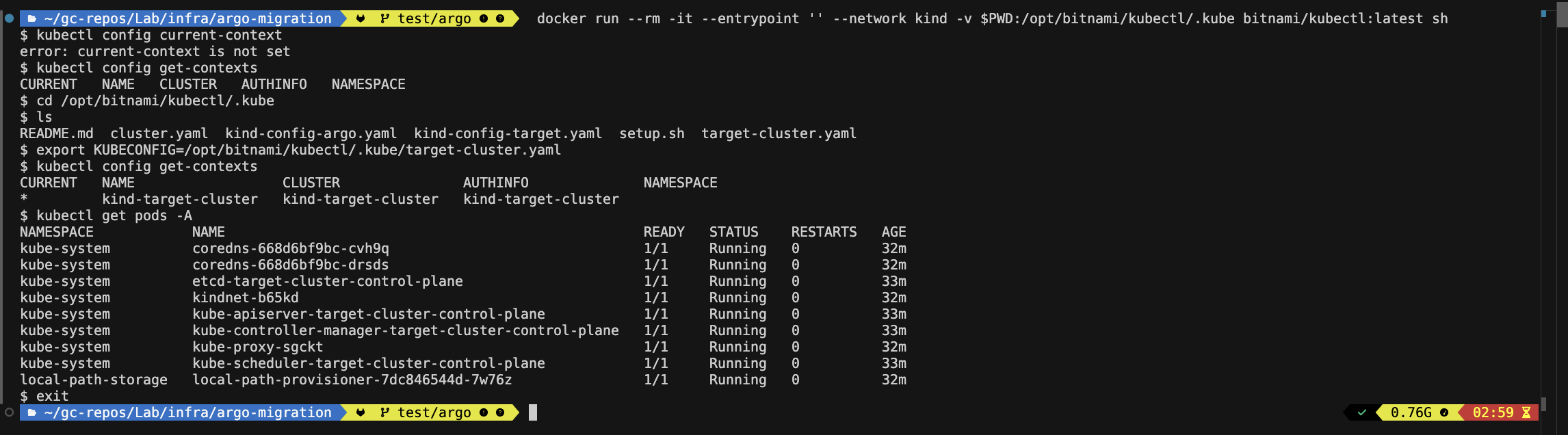
把 target-cluster.yaml 放進 argo-cluster-1
-
給 argo-cluster 弄個 sidecar
docker run -it --rm \ --volumes-from [argo-cluster-container] \ -v $PWD/target-cluster.yaml:/tmp/target-cluster.yaml \ ubuntu \ bash -
找到 sidecar 跟 main container 的 shared volume →
/var$ docker inspect 02f1709ce38d | grep Mounts -A 10 "Mounts": [ { "Type": "volume", "Name": "e20acd13028d6a26843aa80bb5a34b924b045cfa2d13dd9ae80708ff3a9f497e", "Source": "/var/lib/docker/volumes/e20acd13028d6a26843aa80bb5a34b924b045cfa2d13dd9ae80708ff3a9f497e/_data", "Destination": "/var", "Driver": "local", "Mode": "", "RW": true, "Propagation": "" }, -
在 sidecar 裡把檔案複製到
/varcp /tmp/target-cluster.yaml /var/
Register target-cluster into argo-cluster-1
-
Install argocd cli in argo-cluster
VERSION=$(curl -s https://api.github.com/repos/argoproj/argo-cd/releases/latest | grep tag_name | cut -d '"' -f 4) curl -sSL -o /usr/local/bin/argocd https://github.com/argoproj/argo-cd/releases/download/${VERSION}/argocd-linux-amd64 chmod +x /usr/local/bin/argocd -
Login argocd
argocd login [Argocd service clusterIP]:80 -
argo-cluster add cluster
KUBECONFIG=/var/target-cluster.yaml argocd cluster add kind-target-cluster -
Setup Application in Target cluster
Transfer to argo-cluster-2
- 新的 argo 建出來之後可能會有的效果
- 啥都不用動,自己讀到 workload 就知道有 application
- 我們要部署 application,但因為 workload 身上有 annotation,所以他知道不用再產新的 workload
- 要部署 application,然後還長了新的 workload
-
Create argocd cluster 2 & argocd stable version
kind create cluster --name argocd-2 --config kind-config-argo-2.yaml kubectl create namespace argocd kubectl apply -n argocd -f https://raw.githubusercontent.com/argoproj/argo-cd/stable/manifests/install.yaml -
重複註冊 target cluster:
-
註冊完 target cluster 後:
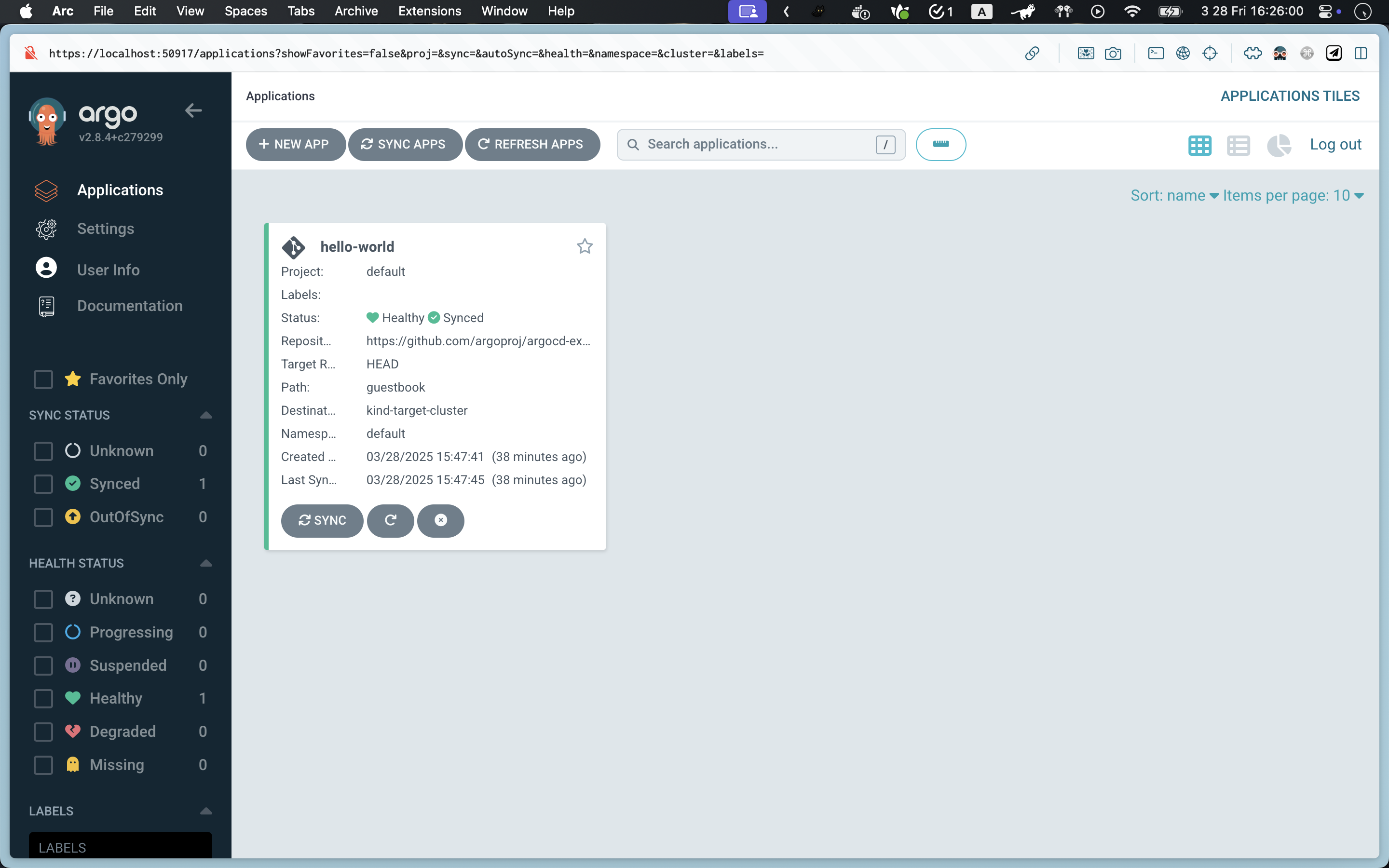
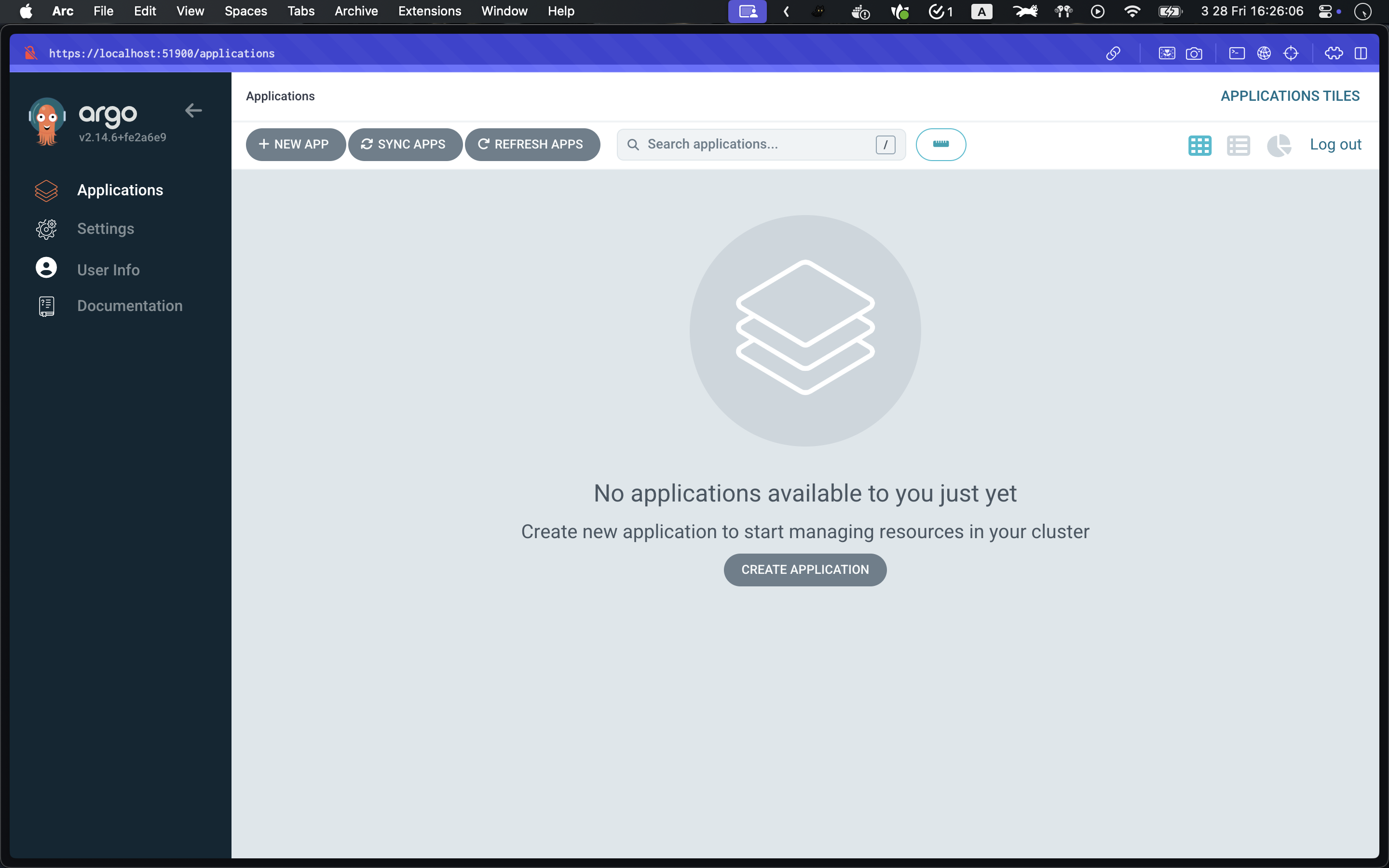
-
Apply application 到 argocd cluster 2 之後:
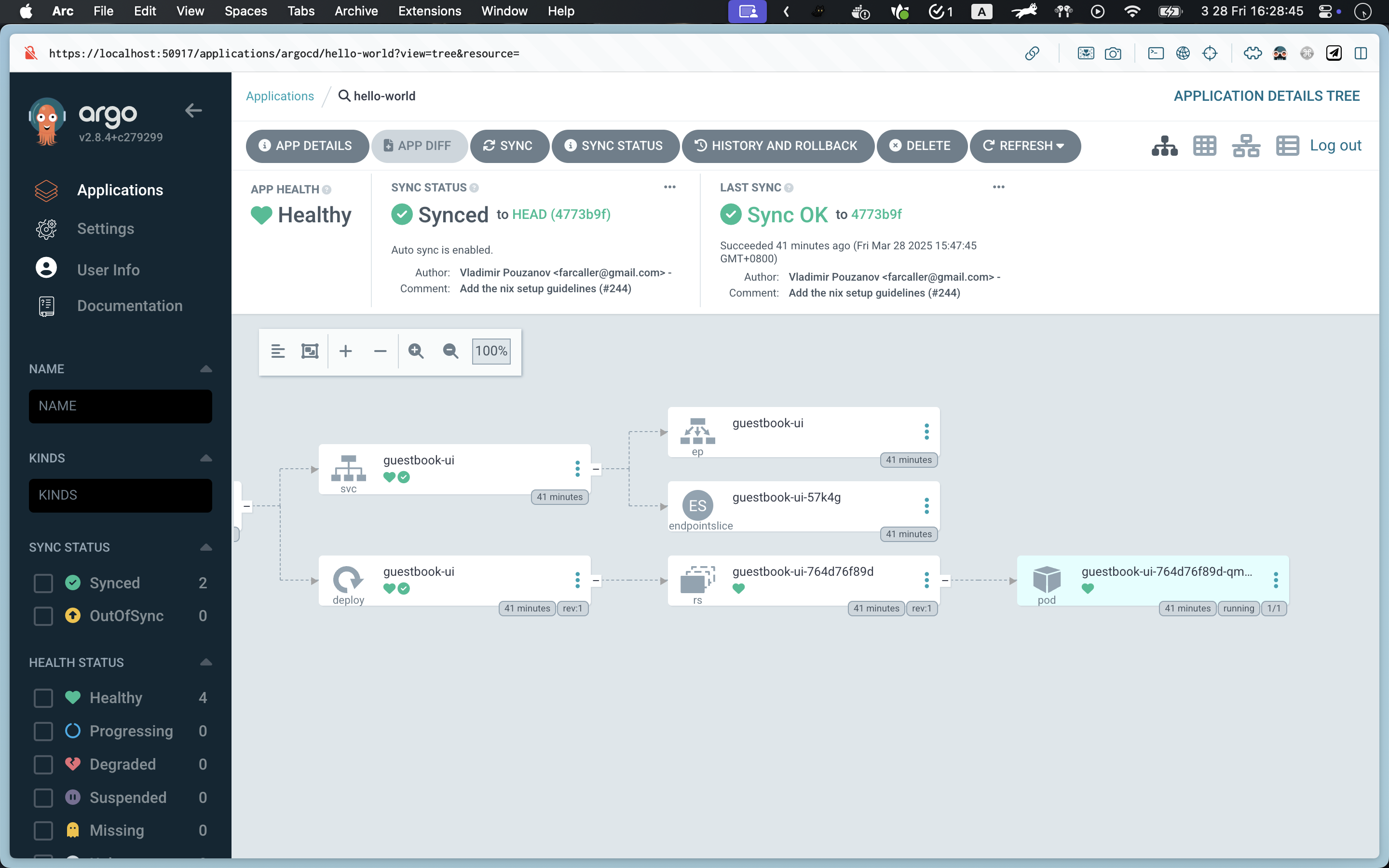
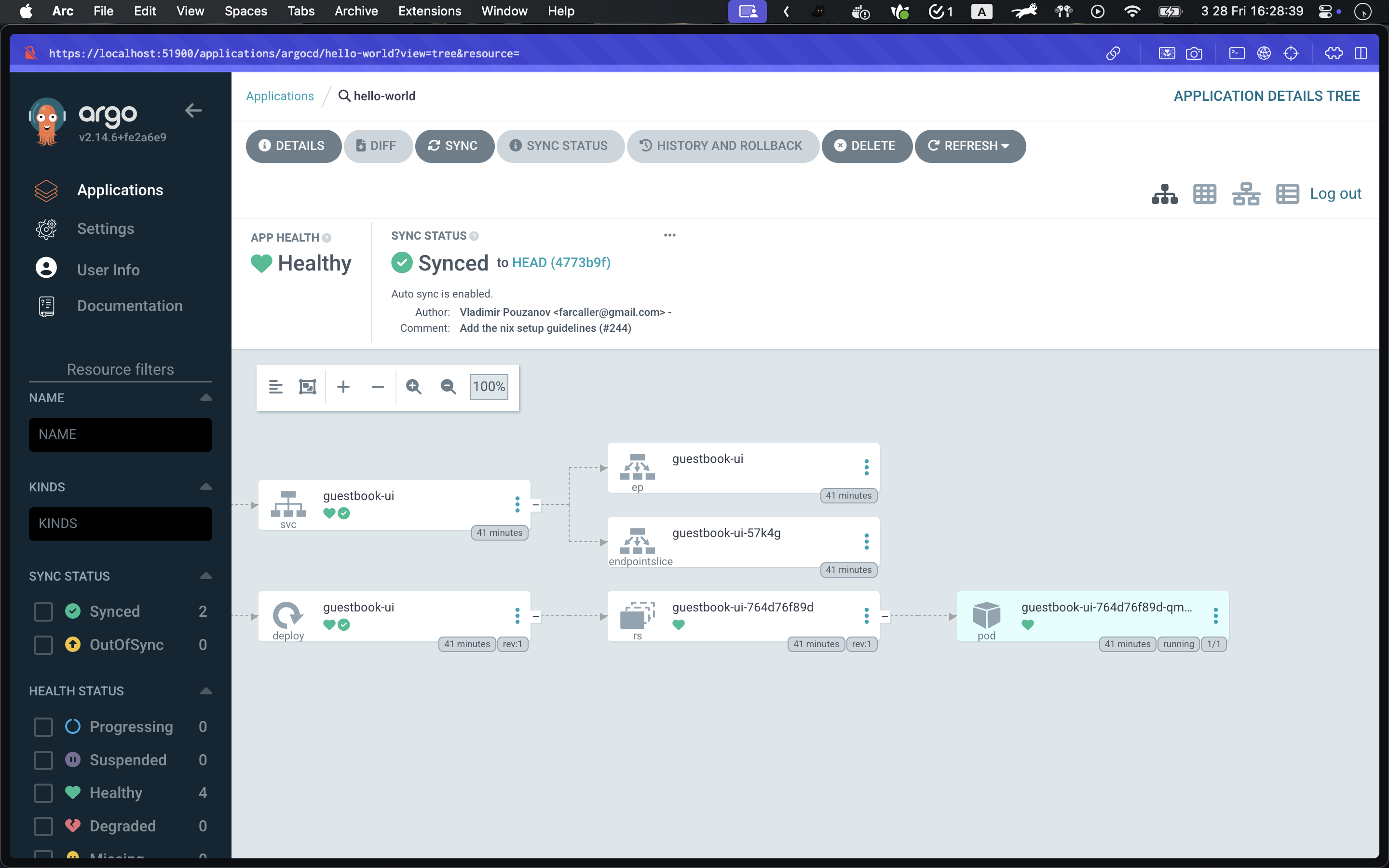
→ 結論:要在新的 argocd 部署 app,就能讓 app 管理已存在的 workload